Quickly launch applications with a few keystrokes

After some time using your PC, and especially if you usually install and uninstall as many software apps as we do, your Start menu is probably so cluttered that is no longer useful at all.

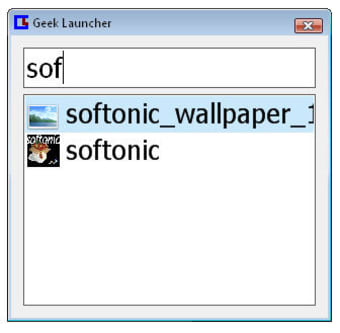
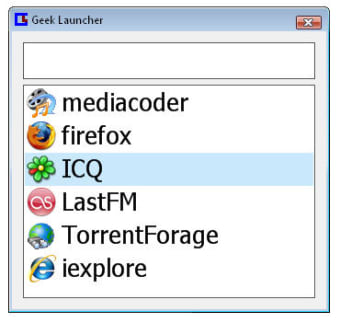
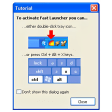
This is when an app-launching tool like Geek Launcher comes in handy. With this program you don't need to browse through categories and subcategories in your Start menu anymore: simply press the first few letters in the name of the program you want to launch and Geek Launcher will find it for you in a snap, provided you have previously added them to the program's list.

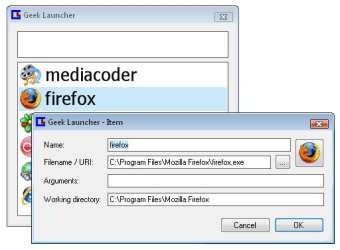
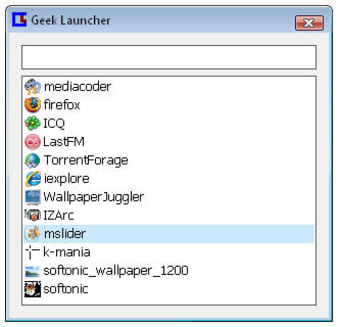
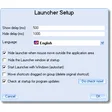
You can do so by right-clicking anywhere on the interface and then filling in the necessary data (program's path, icon, name and so on) or just by dragging and dropping the executable file onto Geek Launcher's window. The program is then minimized to the taskbar and will remain there, without disrupting your work, until you open it with a set shortcut (Windows+Q is the default one).

Geek Launches is definitely a very useful app, though I missed the possibility to also add direct shortcuts to folders – apart from software tools and standalone files.

With Geek Launcher you can access your favorite apps and more frequently used files in a much faster, smarter way. It's a shame it doesn't work with folders too.

  • Pros

    • Easy way to create new links
    • Remains hidden until needed
  • Cons

    • No shortcuts for folders
 0/4

App specs

  • License

    Free

  • Version

    1.0beta3

  • Latest update

  • Platform

    Windows

  • OS

    Windows XP

  • Language

    English

  • Downloads

    1.4K

  • Size

    121.05 KB

  • Developer

    • Demontpx

Program available in other languages


Icon of program: Geek Launcher

Geek Launcher for PC

  • Free
  • 3.6
    4
  • 1.4K
  • V1.0beta3

User reviews about Geek Launcher

Have you tried Geek Launcher? Be the first to leave your opinion!

Add review

You may also like

Alternatives to Geek Launcher

Explore Apps

Latest articles

Laws concerning the use of this software vary from country to country. We do not encourage or condone the use of this program if it is in violation of these laws.

Softonic

Is Geek Launcher safe?

100/100

Score result: Clean

This file passed a comprehensive security scan using VirusTotal technology. It is safe to download.

  • Virus free
  • Spyware free
  • Malware free
  • Verified by Security Partners

    VirusTotal logo

Scan Info

Last scan
Friday, December 1, 2023
Scan provider
VirusTotal · Full report

File Integrity

File
geeklauncher-1.0beta3.exe
SHA256
83878b134a8a77d3a42b43fad7936688951b407acf0c63f814fa3da3deb07708
SHA1
4a4bcda141b5f78a6e243b19d0d7bdd22c895220

Softonic security commitment

Geek Launcher has been thoroughly scanned by our advanced security systems and verified by industry-leading partners. This file comes from the official developer and has passed all our security checks, showing no signs of viruses, malware, or spyware. For more information, visit our Security and Trust Center